Description
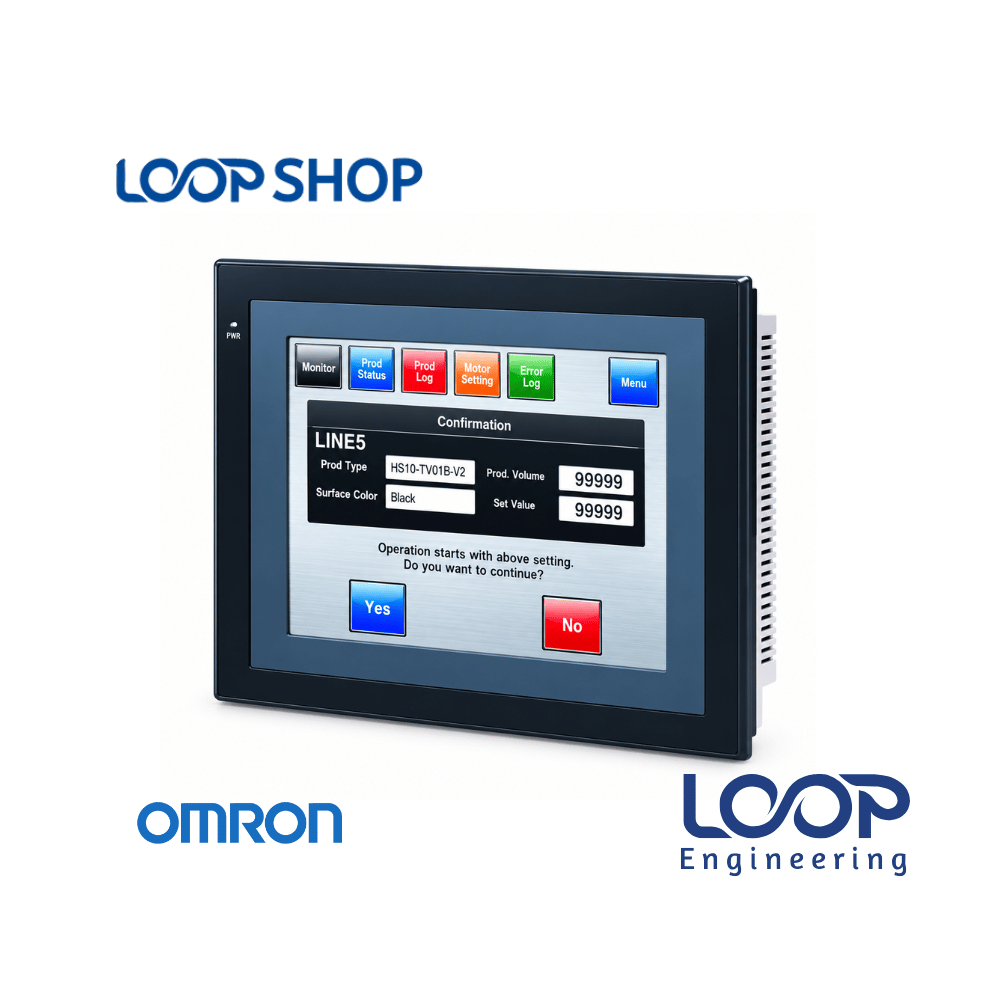
The Omron NS5-SQ11-V2 is an advanced 5.7-inch TFT touch screen Human Machine Interface (HMI) designed for precise control, data monitoring, and visual operator control in industrial automation systems. Equipped with integrated Ethernet networking capabilities, this NS-series panel allows direct high-speed communication with Omron CS, CJ, and NJ-series PLCs as well as multi-vendor controllers.
Engineered for compact control enclosures, the NS5-SQ11-V2 converts complex machine code and sensor feedback into intuitive dynamic graphics, process trends, and active alarm displays. It is an ideal solution for automation engineers and plant managers in Bangladesh seeking to modernize factory control panels, streamline operational diagnostics, and minimize system downtime.
Key Features
- 5.7-Inch Color TFT Display: High-contrast touch screen offering rich visual display for intuitive operator navigation.
- Built-in Ethernet Interface: Enables fast TCP/IP network communication, remote monitoring, and multi-device connection.
- Serial Communication Support: Equipped with onboard serial interfaces for flexible connection to legacy PLCs and industrial drives.
- Smart Active Parts (SAP) Library: Speeds up HMI design and provides built-in troubleshooting diagnostics directly on the screen.
- Ladder Monitoring Functionality: Allows maintenance engineers to review and troubleshoot PLC ladder diagrams right from the front display panel.
- Multi-Language Capability: Supports global project localization with comprehensive multi-language display options.
Technical Advantages
- High Efficiency & Speed: Fast touch response and reliable Ethernet data refresh rates optimize real-time machine monitoring.
- Durable Construction: Industrial-grade bezel and enclosure provide robust protection against electrical noise, vibrations, dust, and moisture ingress.
- Compact Footprint: Compact 5.7-inch layout fits comfortably into space-restricted operator boxes and control panel doors.
- Easy Maintenance: Onboard diagnostic features and quick project upload/download reduce field support time and maintenance costs.
Applications
- Industrial & Factory Automation: Textile processing equipment, plastic injection machinery, automatic packaging lines, and pharmaceutical manufacturing units.
- Commercial Systems: Automated water treatment plants, HVAC system monitoring, and commercial building automation setups.
- Project Installation: OEM control panel fabrication, machine retrofitting, and custom PLC-HMI automation projects.
Why Choose This Product?
- Omron Quality & Reliability: Engineered to strict Japanese quality standards, ensuring long-term hardware stability under continuous industrial shifts.
- Advanced Networking: Integrated Ethernet port allows smooth integration into modern networked smart factory setups across Bangladesh.
- Cost Effectiveness: Delivers high-end diagnostic tools, ladder monitoring, and flexible connectivity at a competitive price point.
- After-Sales Support: Backed by full product authenticity and fast local delivery through LOOP Shop in Bangladesh.
Technical Specification Table
| Specification |
Details |
| Model |
NS5-SQ11-V2 |
| Brand |
Omron |
| Display Size |
5.7 Inch |
| Display Type |
TFT Color Touch Screen |
| Ethernet Port |
Built-in (10/100 Base-T) |
| Communication Interfaces |
Ethernet, Serial Ports (RS-232C) |
| Supported Controllers |
Omron CS/CJ/NJ Series, Multi-vendor PLCs |
| Rated Power |
Not Available |
| Voltage |
24 VDC |
| Current |
Not Available |
| Frequency |
Not Available |
| Efficiency |
High-efficiency industrial networking & touch response |
| Protection |
IP65 (Front Panel dust & splash resistant) |
| Dimension |
Not Available |
| Weight |
Not Available |
| Operating Temperature |
0°C to 50°C |
| Warranty |
Standard Manufacturer Warranty |
Features List
✓ Vibrant 5.7-inch TFT color touch screen display
✓ Onboard Ethernet port for fast network integration
✓ Smart Active Parts (SAP) library with trouble-shooter tools
✓ Direct PLC ladder monitoring function on-screen
✓ IP65 protected front bezel for severe environments
✓ Multi-language operational screen project support
✓ Compact design ideal for space-saving panel assembly
Benefits For Customers
- Faster Machine Fault Recovery: Built-in ladder monitor and troubleshooting screens help technicians pinpoint PLC faults directly without fetching a laptop.
- Seamless Factory Networking: Standard Ethernet port makes it easy to integrate the HMI into plant-wide SCADA or networked PLC systems.
- Saves Enclosure Space: Compact 5.7-inch front bezel fits smoothly into small control panels without compromising visual clarity.
- Suitable for Bangladesh Environment: Rugged IP65 front construction protects against ambient dust, heat, and high humidity common in Bangladeshi factories.
Installation & Maintenance Guide
Installation Requirements:
- Cut out the control cabinet door according to the official Omron NS5 series cutout dimensions.
- Fit the unit into the panel cutout and tighten the mounting clamps evenly to ensure an IP65 front seal.
- Ensure sufficient spacing behind the rear casing for natural ventilation and thermal dissipation.
- Wire a stable 24 VDC power line with proper frame grounding to protect internal electronics against electrical surges.
Maintenance Tips:
- Clean the touch screen gently using a clean, soft dry cloth. Avoid using harsh chemical sprays or abrasive cloths.
- Check surrounding panel air vents periodically to prevent dust accumulation around internal heat sinks.
- Keep backup copies of screen software files and system configuration parameters on secure storage drives.
Safety Instructions:
- Turn off power to the electrical panel before performing any wiring, servicing, or terminal connection.
- Always supply voltage within specified rating limits to avoid damaging internal power components.
- Avoid using sharp tools, screwdrivers, or excessive physical pressure when tapping the touch panel.
Frequently Asked Questions (FAQ)
Q: What is the price of Omron NS5-SQ11-V2 Ethernet HMI in Bangladesh?
A: The price of the Omron NS5-SQ11-V2 HMI in Bangladesh varies based on current stock availability and import costs. Please check the product listing on LOOP Shop or contact us for an accurate price quote.
Q: Where can I buy original Omron NS5-SQ11-V2 in Bangladesh?
A: You can purchase the genuine Omron NS5-SQ11-V2 touch screen HMI directly online from LOOP Shop (loopshop.com.bd) with fast nationwide delivery.
Q: What warranty does this product have?
A: The Omron NS5-SQ11-V2 comes with standard manufacturer warranty against manufacturing defects, verified through LOOP Shop technical support.
Q: Is this HMI suitable for Bangladesh industrial climate?
A: Yes, with an IP65 rated front panel and an operating temperature range up to 50°C, it is fully equipped for Bangladesh’s humid and dusty industrial conditions.
Q: How to install this product?
A: Insert the panel into the prepared cutout on your control panel door, secure it using side clamps, connect the 24 VDC power supply, attach your Ethernet/serial communication lines, and download your project software.
Q: Does the Omron NS5-SQ11-V2 have a built-in Ethernet port?
A: Yes, the SQ11 model variant includes a built-in Ethernet port for high-speed TCP/IP networking with PLCs and automated controllers.
Q: What software is used to program the Omron NS5-SQ11-V2?
A: The Omron NS series HMIs are programmed using Omron’s CX-Designer screen creation software tool.
Q: Can I monitor PLC ladder logic on this screen?
A: Yes, the NS series features a standard Ladder Monitor tool that allows technicians to inspect and troubleshoot PLC programs directly on the display.
Q: What controllers are compatible with the NS5-SQ11-V2?
A: It natively supports Omron CS, CJ, and NJ series machine automation controllers along with various third-party PLC protocols.
Q: Does it require a 24 VDC power supply?
A: Yes, the unit runs on standard industrial 24 VDC power.





Reviews
There are no reviews yet.